
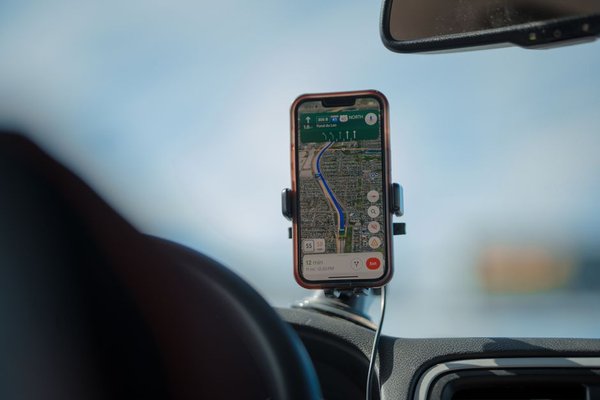
A sat nav that recognises your street but misses a new bypass is frustrating. Factory-fitted systems do not all update alike, and downloading the wrong files can create more problems than they solve. To update car sat nav maps in the UK, start by identifying the navigation unit rather than relying on the car’s make or registration year.
Some systems update automatically, others need a USB drive or SD card, and older units may require a dealer. Here is how to choose the right method safely.
Identify your navigation system first
Open the navigation settings and look for About, System Information, Version Information or Map Information. Note the map version, software version and system name. The same car model can have different infotainment units depending on its trim and production date.
Next, consult the owner’s handbook or the manufacturer’s UK support portal. You might need the vehicle identification number (VIN), found on vehicle paperwork or through the windscreen. Use it to check compatibility instead of assuming a download advertised for your model will work.
Remember that navigation maps and system software are different. A software update might fix a screen fault without changing the roads shown. Equally, an available map download does not necessarily update the infotainment software.
Find the correct sat nav update method
Over-the-air updates
Many newer connected systems can download maps directly. Check whether over-the-air updates are supported, enabled and included in your current connected-services entitlement. The car may download data automatically but still ask permission to install it. Availability varies by model and subscription.
USB drive or SD card
Other systems require a computer download and removable storage. Manufacturer software may prepare the drive automatically, or you may have to follow precise instructions for formatting and file placement. An original navigation SD card can contain licensing information, so never erase or replace it without checking the official procedure.
Dealer or purchased update
Older units sometimes require activation codes, replacement media or a workshop installation. Toyota UK’s current guidance, for instance, directs owners of older Touch & Go systems to a dealer, while compatible Touch 2 with Go units can use the MyToyota e-Store and a USB drive. Neither method should be assumed to suit every Toyota.
How to update car sat nav maps step by step
1. Confirm the correct download and region
Use your manufacturer’s official owner portal, match the exact navigation system, and select a package covering the UK. Some updates combine British roads with Ireland or Europe. Check the actual map coverage before downloading, especially if you also drive abroad.
2. Prepare suitable storage
Check the required USB or SD capacity and file format. Large navigation packages may need substantial free space, including room for extraction on the computer. Use a reliable storage device and keep any original map card intact unless instructed otherwise. Avoid unofficial websites selling supposedly universal GPS maps UK downloads.
3. Allow time and protect the power supply
Read the vehicle-specific estimate before starting. Large map downloads and in-car installation can take considerably longer than a small software patch. Park safely and follow the manufacturer’s power instructions. Never leave an engine running in an enclosed garage or idle unnecessarily. If the battery is weak, ask an authorised workshop about appropriate support.
4. Install and verify
Insert the prepared media or approve the downloaded update. Follow each on-screen prompt; do not remove storage or interrupt the system during installation. Afterwards, reopen Map Information and confirm the map version has changed. Search for a familiar destination and check a recently altered road before relying on the system for a long journey.
A practical example for UK Toyota owners
Suppose you bought a used Toyota and its built-in navigation does not recognise a new housing estate. Instead of searching for any ‘Toyota sat nav update’, find out whether it has Touch & Go, Touch 2 with Go or a newer connected system. Toyota specifies dealer support for certain older units, MyToyota USB downloads for compatible systems, and over-the-air options for selected newer vehicles.
That system-first approach works with other brands too. Ford’s UK instructions distinguish different SYNC generations, while Hyundai offers an official navigation updater and connected update options for supported models. The right process depends on the head unit, not simply the manufacturer’s badge.
How much does a navigation map update cost?
There is no standard UK map update cost. Eligible cars may receive downloads without an additional fee, sometimes for a limited period. Others need a paid subscription, activation licence, physical media or dealer labour. Costs depend on the vehicle, map package and entitlement, so treat generic online price claims cautiously.
Check your owner account before buying an update. If a dealer quotes a price, ask whether it includes the map data, licence and installation. Regular drivers who rely on factory navigation may find the expense more worthwhile than owners who only use it occasionally.
What an updated map will not fix
New navigation maps can improve road layouts and points of interest, but even the latest release may miss very recent junction changes. Temporary roadworks, live traffic, speed-camera information and speed limits can depend on separate data or connected services. Keep following actual road signs rather than treating a display as the final authority.
Using Apple CarPlay or Android Auto to display a phone’s navigation app does not update the vehicle’s built-in map database. For related guidance, look at our articles on car infotainment systems, Android Auto navigation and choosing a sat nav for European driving.
If an update fails
First check the storage format, free space, downloaded file integrity and whether the package matches your system. An unrecognised USB drive or incorrect folder structure can prevent installation. If an activation code is requested, obtain one through the authorised channel. Persistent errors or a frozen navigation unit call for manufacturer or dealer support, not experimental firmware.
Frequently asked questions
How often should I update my car’s sat nav?
Check the manufacturer’s release schedule and look for updates before unfamiliar journeys. The frequency varies by brand and navigation generation; there is no universal requirement.
Can I update my car sat nav maps for free?
Possibly. Free updates depend on the vehicle, available map releases, included entitlement and any relevant subscription. Check your official owner account first.
Can I use any USB stick for the update?
Not always. Capacity, formatting and preparation requirements vary. Use the exact specification in your system’s instructions rather than assuming all drives work.
Will updated maps add live traffic information?
No, not automatically. Stored road maps and real-time traffic are separate features. Live services may need compatible hardware, connectivity and an active subscription.
Make the update match the vehicle
The best route to current UK navigation maps starts with an accurate system name and version number. Check the manufacturer’s supported method, map coverage, storage requirements and any charges, then verify the new version after installation. That is much safer than guessing which download might fit.