
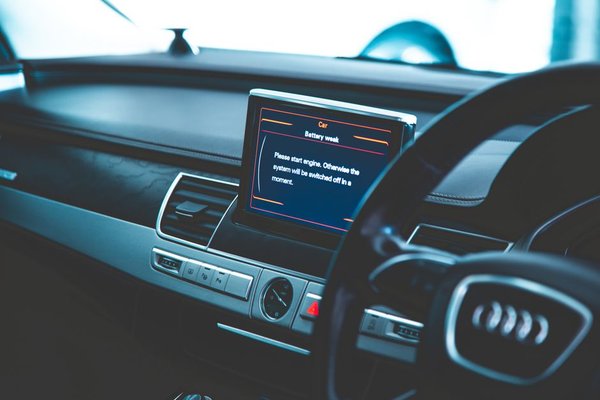
A car infotainment system frozen on the home screen can turn a routine journey into a frustrating one. The radio may keep playing while the touchscreen ignores every tap, or the display may stop loading navigation. Fortunately, a single freeze does not automatically mean the head unit needs replacing. Start with a safe restart, then check whether a connected phone, software glitch or deeper fault is responsible.
First, stop somewhere safe
Do not troubleshoot menus or press a series of buttons while driving. Find a safe, legal place to park, secure the vehicle and follow the manufacturer’s instructions. The UK’s Highway Code warns that in-car screens and navigation systems can distract drivers.
Before resetting anything, notice what still works. Is the display black, stuck on the manufacturer’s logo or simply unresponsive to touch? Do physical volume controls work? Does the reversing camera appear? These clues can distinguish a frozen interface from a power or display fault.
Try the simplest recovery first
Let the system finish starting
Some systems take longer to become responsive after the vehicle starts, especially when loading maps or restoring phone connections. If the screen has only just appeared, give it a little time instead of repeatedly tapping controls.
Switch the vehicle off properly
With the vehicle safely parked, switch off the ignition and allow the normal shutdown to finish. Some infotainment units remain powered briefly after the engine stops or until a door is opened. Follow the owner’s manual, wait for shutdown, then start the car and check the screen.
This power cycle may clear a temporary software hang. It is not the same as disconnecting the battery, which can introduce other issues.
Use a model-specific soft reboot
If the head unit remains frozen, find the soft-restart procedure for your exact make, model, model year and infotainment version. Some vehicles support a restart through a physical power or volume button; others require a specific button combination or reset control. There is no universal sequence suitable for every car.
A soft reboot generally restarts the interface without deliberately erasing paired phones and saved preferences. Follow the manufacturer’s published procedure rather than holding random buttons or pushing objects into an unlabelled opening. Once the screen returns, test the radio, navigation and touch controls before setting off.
Find out whether your phone is triggering the freeze
Restart the system with the phone disconnected. Unplug USB cables, remove removable media and temporarily switch off the phone’s Bluetooth. If the display works normally without them, reconnect one item at a time.
For example, suppose the screen freezes every morning when wireless Android Auto connects, but the car’s own radio menu works without the phone. That pattern suggests a connection, app or compatibility issue rather than proving the touchscreen hardware is faulty.
Restart the phone, update its operating system and relevant apps, and try a different known-good cable for wired connections. If needed, remove the existing phone pairing from both devices and pair them again. Related guides on Bluetooth pairing problems and Android Auto connection issues can help with these checks.
Check for an official software update
Recurring freezes can sometimes be resolved by a manufacturer update. Consult the manufacturer’s UK support site, owner app or dealer using your vehicle details. Confirm that an update applies to your particular system: cars of the same model can have different head units.
Follow the installation instructions closely. Some updates arrive over the air, while others require approved USB files or a dealer visit. Meet the stated battery and power requirements, and do not interrupt an update just because the display briefly goes dark or restarts. If unsure, ask an authorised workshop.
Avoid unofficial firmware downloads promising to fix every infotainment fault. Incompatible software can make a problem much harder to correct.
When should you consider a factory reset?
A factory or master reset is more disruptive than a soft reboot. Depending on the vehicle, it may remove paired phones, saved destinations, profiles and preferences. Ford, for example, advises owners that a SYNC master reset erases personalised information.
Use a factory reset only when the manufacturer recommends it for your symptoms. Record settings you want to restore, and check whether services must be reconnected. If the display is unusable, do not assume you can safely force a factory reset.
Recognise signs of a hardware or electrical fault
A one-off freeze after connecting a phone is different from a screen that fails every time the vehicle starts. Arrange diagnosis if the unit repeatedly restarts, stays black, becomes unusually hot, has touch dead zones or fails even with external devices disconnected.
Tell the technician if the problem began after a flat battery, jump-start, water leak or dashboard repair. Unstable voltage, damaged connections and failing hardware are possibilities, but symptoms alone cannot identify the cause. A workshop can check power supply, fault codes, wiring and service information instead of guessing.
If the frozen display affects essential controls or information needed to operate safely, avoid relying on the vehicle until the issue has been assessed. Our guide to car battery warning signs may also help when other electrical symptoms appear.
Keep a short fault record
If freezing returns, note when it happens: starting the engine, connecting a phone, opening navigation or selecting reverse. Record the software version if accessible and whether an infotainment reset helped. A video taken while safely parked may help a garage reproduce an intermittent fault.
Frequently asked questions
Why is my infotainment system frozen but the radio still plays?
The audio can keep working while the touchscreen interface stops responding. Try the manufacturer’s approved restart and see whether connected devices trigger the problem. Repeated freezing needs diagnosis.
Will an infotainment reset delete my settings?
A soft restart usually preserves settings, but a factory or master reset may erase paired devices, destinations and preferences. Check the manual before choosing a reset option.
Can a software update fix a frozen head unit?
Yes, if the manufacturer has addressed the underlying bug or compatibility problem. Install only software approved for your specific system and follow the complete update procedure.
Should I disconnect the car battery to restart the screen?
Not as a first-line fix. Disconnecting a battery can affect other electronic systems and require vehicle-specific precautions. Use the documented restart method or seek professional advice.
Getting the screen working reliably again
When your car infotainment system freezes, start with safety, a complete shutdown and the correct soft reboot. Then isolate phone connections and check for manufacturer-approved updates. If the problem keeps returning, record the pattern and arrange a proper diagnostic assessment. The aim is not just to get the screen responding once, but to find out why it stopped.