
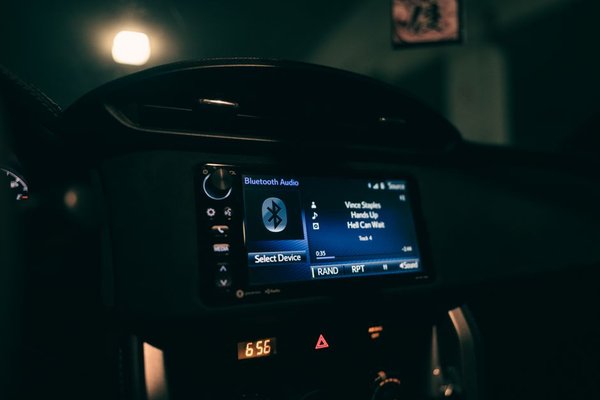
When your car Bluetooth stops working, it can feel as though the stereo has failed. Often, though, the culprit is a saved connection, a phone setting or a second device taking priority. Before booking a repair, a few checks can tell you whether the fault involves pairing, calls or music playback.
Do these checks while safely parked. Menus differ between manufacturers, but the troubleshooting process is much the same.
Identify exactly what has stopped working
“Car Bluetooth not working” covers several faults. Your phone might not find the vehicle, might pair without connecting, or might show a connection while music stays silent. Calls can fail independently of music.
Start by confirming Bluetooth is enabled in your phone’s main Settings app. Check that the infotainment system is switched on and whether the vehicle appears in the phone’s saved-device list. Restart the phone and power-cycle the car’s audio system as its handbook recommends.
If the trouble began after somebody else drove the car, check which phone is connected. Some systems favour a previously saved handset even when yours is beside the dashboard.
Fix Bluetooth pairing issues
A phone not connecting may simply mean the car is not discoverable. Opening its Bluetooth menu is not always enough: select Add phone, Pair device or the equivalent command to begin pairing.
Forget the connection on both sides
On iPhone, open Settings, then Bluetooth, tap the information icon beside the car and select Forget This Device. On Android, find the saved car under Bluetooth or Connected devices and choose Forget or Unpair. Exact menu labels vary.
Also delete the phone from the car’s paired-device list. Removing it from only one side can leave an outdated record on the other. Put the car into pairing mode, follow its handbook’s instructions and confirm matching pairing codes if prompted.
Some older vehicles have limited storage for phones. If the list is full, delete unused entries and try again. Allow the connection to finish before testing it.
Connected to Bluetooth but no music?
A Bluetooth connection does not always mean the music channel is active. Switch the car’s source to Bluetooth Audio, BT Audio or Media rather than radio, USB or AUX. Start a track and adjust the phone’s media volume and the stereo volume separately.
On Android, open the settings beside your paired car and make sure Media audio is enabled. If calls work but music does not, this is a useful check. On iPhone, open the playback output selector and choose the vehicle rather than headphones or the phone speaker.
Try a downloaded track or another audio app while parked. If that plays but a streaming service does not, investigate the app or its internet connection before blaming the stereo.
Not every Bluetooth-enabled car supports music streaming. Some older hands-free systems support calls only, so check the handbook before spending money on replacement equipment.
When calls work incorrectly
Phone calls and music use different Bluetooth functions. On Android, the car’s paired-device settings may have a separate Phone audio switch. Enable it for hands-free calls.
During a call, check the audio-routing option and raise the car’s call volume, which may be separate from music volume. Make sure a smartwatch or headset has not taken the call. If the other person cannot hear you, check whether the car microphone is muted.
Check for competing phones and devices
Consider a shared family car: your phone connects perfectly when you drive alone but refuses when another family member gets in first. Their handset may have taken priority. That does not mean the Bluetooth hardware is broken.
Temporarily disable Bluetooth on other nearby saved phones and disconnect wireless headphones. Reconnect the intended phone. If it now works, review the car’s preferred-phone settings or remove devices no longer used.
Wireless Apple CarPlay and Android Auto introduce another distinction. They can use Bluetooth during setup and Wi-Fi for parts of the connection. If dashboard projection is failing but ordinary calls work, check the separate CarPlay or Android Auto settings and vehicle compatibility.
Try a car Bluetooth reset before a factory reset
If pairing still fails, look for a Delete paired devices or Reset Bluetooth option in the vehicle’s infotainment menu. Try that before a complete factory reset, which may erase radio presets, stored destinations and other preferences.
Read the owner’s handbook and record settings you might need to restore. Avoid disconnecting the vehicle battery or removing fuses as a casual Bluetooth fix; this can interfere with other electronic systems.
Resetting network settings on the phone is also a last resort. Depending on the handset, it may remove saved Wi-Fi connections and other settings.
Check updates and isolate the cause
If the failure followed a phone software update, restart the handset, install any further fixes and pair again. Check whether the vehicle manufacturer offers an infotainment firmware update for your exact model. Follow official installation instructions rather than using unverified files.
Test with another compatible phone if possible. If that phone works, investigate your original phone’s settings. If neither works, focus on the car’s pairing procedure and infotainment system. This comparison narrows the possibilities without proving which component has failed.
Related topics worth exploring include car stereo firmware updates, Apple CarPlay connection problems and Android Auto troubleshooting.
When should you seek professional repair?
Consider a qualified automotive electronics technician if the Bluetooth menu disappears, the infotainment unit repeatedly freezes, or several compatible phones fail after the manufacturer’s recommended steps. Note your car’s make, model, year and any error message. A software issue can sometimes resemble a failed Bluetooth module.
Frequently asked questions
Why did my car Bluetooth suddenly stop connecting?
A saved pairing error, software change, disabled setting or competing phone connection may be responsible. Restart both systems and inspect the device list before pairing again.
Why is my phone connected but there is no sound?
The car may be on the wrong source, sound may be routed elsewhere, or media audio may be disabled. Check output selection and both volume controls.
Will a Bluetooth reset delete everything?
Deleting paired phones typically affects Bluetooth records only. A full infotainment factory reset can erase additional settings, so consult the handbook first.
Does every Bluetooth car stereo play music?
No. Some older systems support hands-free calls without Bluetooth music streaming. Check your vehicle’s audio specifications.
Restore the connection without rushing into replacement
Work from the simplest checks towards disruptive resets: identify the symptom, verify audio settings, remove competing devices and re-pair both sides. Many car Bluetooth problems have a settings or connection cause, and diagnosing that first may save an unnecessary hardware replacement.